Lyrics that follow your music. On top of everything else.
Lyrice tracks what Apple Music or Spotify is playing and keeps lyrics in sync with the track — word-level karaoke timing in a floating window over any app, in the menu bar, or on the Dynamic Island.

4
Display modes — desktop, menu bar, window, Dynamic Island
13+
Minimum macOS version
0
Accounts or servers required to follow your player
The lyrics you already had, actually usable
Follows Apple Music and Spotify through macOS, with the words where you can read them.
Display
Four ways to show lyrics
Floating desktop lyrics stay above your other apps, so the words are there whether you are coding, browsing, or playing a game. Menu bar and Dynamic Island modes stay out of the way, and a dedicated lyrics window docks next to the player.
Style
Type and colors you control
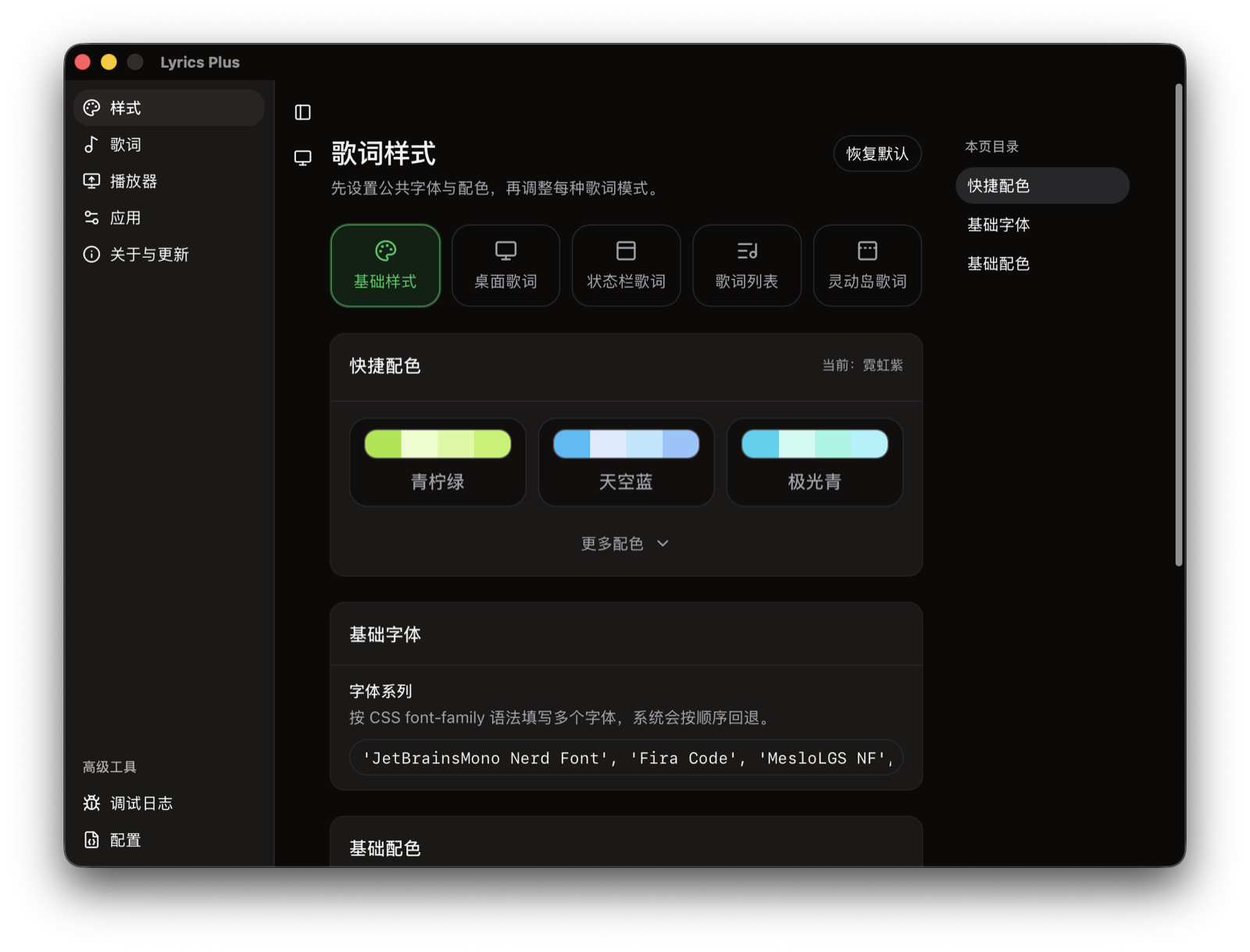
Set fonts, sizes, colors, opacity, shadows, and alignment per mode or across all of them at once. A translucent floating window can be read at a glance over anything, and an opaque panel works on bright video.
Sources
Lyrics that find themselves
Enable the lyric providers you trust and Lyrice searches them in parallel, ranks the candidates against the current title and artist, and falls back in order. Translations and romanization show when the source provides them.

Under the hood
Small, local, and on your terms
A lightweight macOS app that treats your music and your privacy as yours.
Native
Tauri 2 + Rust
A small Rust core and a web UI. No Electron-sized footprint — Lyrice sits quietly in the menu bar.
Local-first
your Mac
The library, cache, imported lyrics, and settings live on your machine. Nothing is stored on a Lyrice server.
Opt-in
lyric providers
Online search is off by default. When you turn it on, only matching metadata is sent to the service you chose.
System media
players
Lyrice follows whatever macOS reports: Apple Music, Spotify, and compatible apps, with automatic pause and resume.
And everything else that matters
From the first matched line to the way it fades out.
Word-level karaoke timing
Show the current word as the track plays, from synced lyrics that carry the timing.
Translations and romanization
Display a translation or reading alongside the original line when the source has one.
Offline library
Save matched lyrics and import your own files, then keep them available without the network.
Automatic matching
Concurrent search with provider ordering and metadata-based candidate ranking.
Pause and resume
Lyrics follow the playback position — seek, pause, or switch songs and they stay in sync.
No account
No sign-up and no server to depend on. The app code is MIT licensed.
Comparison
Lyrics where you are, not only in the Music app
Apple Music shows synced lyrics inside its own window for subscribed songs. Lyrice reads the same track through macOS and puts the lyrics where you can actually sing along.
Lyrice
Apple Music built-in lyrics
FAQ
Frequently asked questions
Players, lyrics sources, privacy, and what Lyrice does with your music.
Which music players does Lyrice follow?
Apple Music, Spotify, and any other player that exposes its playback through macOS System Media. Lyrice reads the current title, artist, and playback position through the system API, so it keeps working as those players update.
Does Lyrice upload my music or my audio?
No audio is ever captured or uploaded. Online lyrics providers are optional and off by default; when you enable them, Lyrice sends only matching metadata such as title, artist, album, and duration to the third-party service you selected. Everything else — your library, cache, imported lyrics, and settings — stays on your Mac.
Where does the word-level karaoke timing come from?
Lyrice fetches synced lyrics (with per-line timestamps) from the providers you enable and ranks them against the current track. Word-level timing is shown when the provider's lyrics carry it, and translations and romanization are displayed when available. You can also import your own synced lyric files and keep them in an offline library.
What is the difference between the four display modes?
Desktop lyrics float in their own window above your other apps; menu bar lyrics sit in the menu bar; a lyrics window docks next to the player; and Dynamic Island lyrics collapse into the island on supported Macs. Each mode has its own fonts, colors, layout, opacity, and behavior, or they can share one style.
How much does Lyrice cost?
Lyrice is free to download. Activating the full version is a $6.99 one-time license — no subscription, no account.
What are the system requirements?
macOS 13 or later on Apple Silicon (M1 or later). First launch asks you to accept a short legal notice before you can continue.
Why does macOS show a security prompt on first launch?
Current builds are ad-hoc signed and not notarized. Move Lyrice to the Applications folder first, and if macOS blocks it, open System Settings → Privacy & Security and choose Open Anyway. Apple Music and Spotify may also ask for Automation permission, and player following may need approval in Login Items settings.
What license is Lyrice under?
The application code is MIT licensed. Lyrics and other music content shown by Lyrice remain the property of their rightsholders — Lyrice only searches, parses, caches, imports, and displays that content, and it is not affiliated with Apple Music, Spotify, any lyrics provider, or any rightsholder.

Sing along to Lyrice
Free to download. $6.99 one-time license to activate.
No account. No subscription. macOS 13 or later.